
Table of contents
I bet you’ve already checked your phone a few times today, opened a couple of apps and, who knows, maybe even asked a chatbot something. Technology is everywhere, which means you need technology vocabulary in English at work, when you travel, when something stops working and, of course, in the Cambridge exams, where it’s one of the topics that comes up most often.
It’s also a topic full of little traps: you don’t «load» your phone, a «folder» on your computer isn’t a carpet (that’s what Spanish speakers often say!), and words like software and information can’t be counted. Don’t worry, though: in this post I’ll make it all clear.
You’ll find vocabulary for devices and gadgets, the verbs you need to use a computer or a phone, words for apps and software, the basics of the internet and cybersecurity, a full section on artificial intelligence vocabulary, how to talk about the pros and cons of technology and screen time, the most useful collocations, idioms and phrasal verbs, typical mistakes, how all this appears in the Cambridge exams and, at the end, exercises with answers.
If you’re looking for social media vocabulary (likes, followers, stories…) or email words, you’ll find them in my post on social media and internet vocabulary. Here we’ll focus on everything else.
Let’s get started! 🙂
Devices and gadgets in English
Let’s start with the machines themselves. The general word for any electronic machine is device /dɪˈvaɪs/, and for smaller, clever little machines we often say gadget /ˈɡædʒɪt/: My dad loves buying the latest gadgets.
Devices and their parts
| 🇬🇧 English | Pronunciation | 🇪🇸 Spanish |
|---|---|---|
| device | /dɪˈvaɪs/ | dispositivo, aparato |
| gadget | /ˈɡædʒɪt/ | aparato, cacharro |
| mobile (phone) (UK) / cell phone (US) | /ˈməʊbaɪl/ | móvil |
| screen | /skriːn/ | pantalla |
| touchscreen | /ˈtʌtʃskriːn/ | pantalla táctil |
| keyboard | /ˈkiːbɔːd/ | teclado |
| mouse | /maʊs/ | ratón |
| printer | /ˈprɪntə/ | impresora |
| speaker | /ˈspiːkə/ | altavoz |
| headphones | /ˈhedfəʊnz/ | auriculares (de diadema) |
| earbuds / earphones | /ˈɪəbʌdz/, /ˈɪəfəʊnz/ | auriculares (de botón) |
| smartwatch | /ˈsmɑːtwɒtʃ/ | reloj inteligente |
| games console | /ˈɡeɪmz ˌkɒnsəʊl/ | videoconsola |
| remote control | /rɪˌməʊt kənˈtrəʊl/ | mando a distancia |
| USB stick / memory stick | /ˌjuː es ˈbiː stɪk/ | pendrive, memoria USB |
Note that Spanish speakers say pendrive, but in the UK almost nobody does: the normal words are USB stick or memory stick. And when mouse means the one on your desk, it has two plurals: mice and mouses.
Batteries and cables
| 🇬🇧 English | Pronunciation | 🇪🇸 Spanish |
|---|---|---|
| battery | /ˈbætəri/ | batería, pila |
| charger | /ˈtʃɑːdʒə/ | cargador |
| power bank | /ˈpaʊə bæŋk/ | batería externa |
| cable / lead (UK) | /ˈkeɪbl/, /liːd/ | cable |
| plug | /plʌɡ/ | enchufe (la clavija del aparato) |
| socket (UK) / outlet (US) | /ˈsɒkɪt/, /ˈaʊtlet/ | enchufe (el de la pared) |
| wireless | /ˈwaɪələs/ | inalámbrico |
| Bluetooth | /ˈbluːtuːθ/ | Bluetooth |
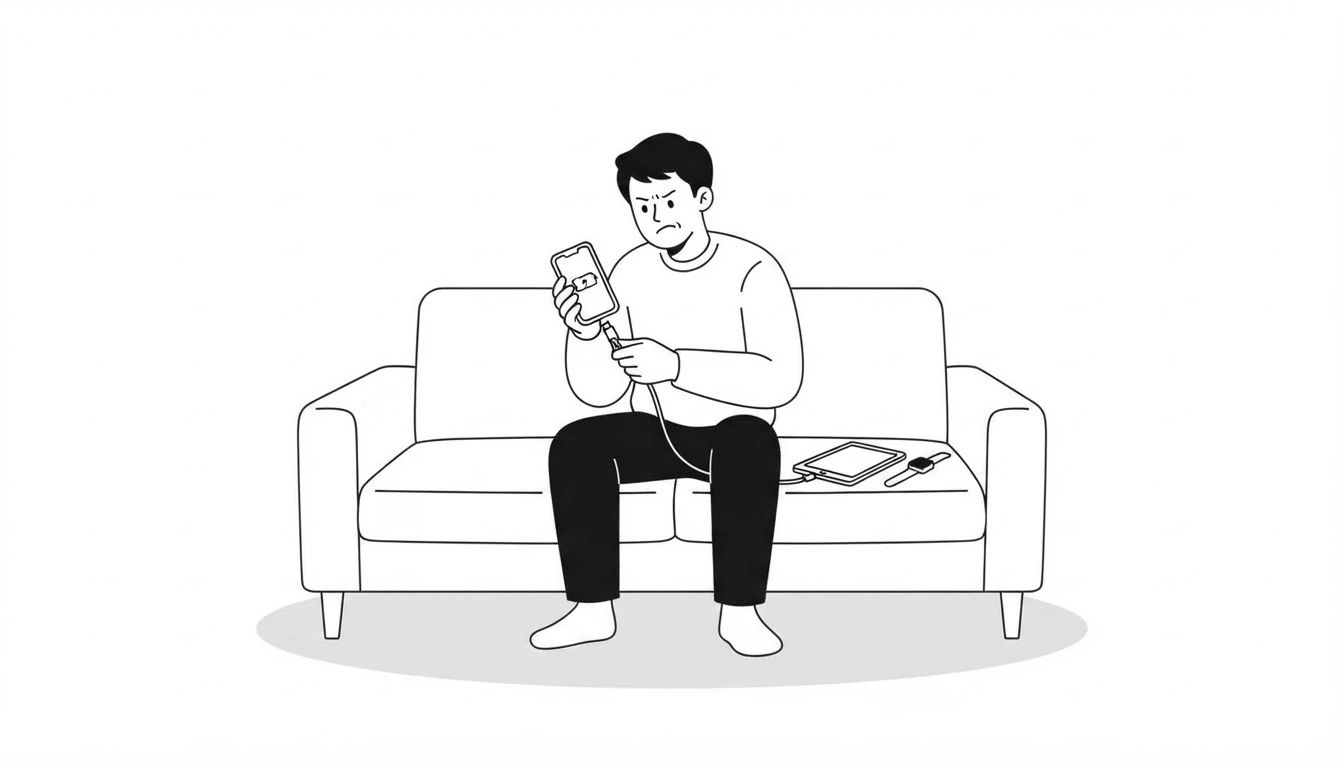
Batteries come with their own useful phrases. To say your phone has no battery left, the most natural options are My phone is dead or My battery has run out. And the verb for putting power back in is charge: I need to charge my phone.
Using a computer and a phone
Now for the verbs, which are what get you out of trouble when you need to explain what you did or what went wrong.
| 🇬🇧 English | Pronunciation | 🇪🇸 Spanish |
|---|---|---|
| to switch on / to turn on | /swɪtʃ ˈɒn/, /tɜːn ˈɒn/ | encender |
| to switch off / to turn off | /swɪtʃ ˈɒf/, /tɜːn ˈɒf/ | apagar |
| to restart | /ˌriːˈstɑːt/ | reiniciar |
| to charge | /tʃɑːdʒ/ | cargar (la batería) |
| to plug in / to unplug | /plʌɡ ˈɪn/, /ʌnˈplʌɡ/ | enchufar / desenchufar |
| to type | /taɪp/ | escribir (con el teclado), teclear |
| to enter (a password) | /ˈentə/ | introducir (una contraseña) |
| to save | /seɪv/ | guardar |
| to delete | /dɪˈliːt/ | borrar, eliminar |
| to copy and paste | /ˈkɒpi ən ˈpeɪst/ | copiar y pegar |
| to print | /prɪnt/ | imprimir |
| to take a screenshot | /ˈskriːnʃɒt/ | hacer una captura de pantalla |
| to back up | /ˌbæk ˈʌp/ | hacer una copia de seguridad |
| to crash | /kræʃ/ | colgarse, dejar de funcionar de golpe |
| to freeze | /friːz/ | quedarse congelado, bloquearse |
| file | /faɪl/ | archivo |
| folder | /ˈfəʊldə/ | carpeta |
Two important details. When a computer or an app stops working, we don’t usually say it «broke»: we say it crashed or it froze: My laptop crashed and I lost the whole essay. 😱 And the noun is written as one word, a backup (Do you have a backup of your photos?), while the verb is two: to back up your files.
Apps and software
| 🇬🇧 English | Pronunciation | 🇪🇸 Spanish |
|---|---|---|
| software | /ˈsɒftweə/ | software, programas (incontable) |
| hardware | /ˈhɑːdweə/ | hardware, componentes físicos |
| program | /ˈprəʊɡræm/ | programa (informático) |
| operating system | /ˈɒpəreɪtɪŋ ˌsɪstəm/ | sistema operativo |
| to install / to uninstall | /ɪnˈstɔːl/, /ˌʌnɪnˈstɔːl/ | instalar / desinstalar |
| to update / an update | /ʌpˈdeɪt/, /ˈʌpdeɪt/ | actualizar / una actualización |
| bug | /bʌɡ/ | error, fallo (de un programa) |
| glitch | /ɡlɪtʃ/ | fallo técnico (pequeño y puntual) |
| the cloud | /klaʊd/ | la nube |
| storage | /ˈstɔːrɪdʒ/ | almacenamiento |
| to sync | /sɪŋk/ | sincronizar |
| user-friendly | /ˌjuːzə ˈfrendli/ | fácil de usar, intuitivo |
| coding / programming | /ˈkəʊdɪŋ/, /ˈprəʊɡræmɪŋ/ | programación |
| developer | /dɪˈveləpə/ | desarrollador, programador |
Watch the stress in update: as a verb it falls on the second syllable (Update the app, /ʌpˈdeɪt/), and as a noun on the first (a new update, /ˈʌpdeɪt/). And a spelling curiosity: in British English a TV show is a programme, but a piece of software is a program.
The internet and basic cybersecurity
You’ll find plenty of vocabulary for browsing, accounts and online safety in my social media and internet post, so here I’ll just give you the words you’ll need most when talking about connections and security in general.
| 🇬🇧 English | Pronunciation | 🇪🇸 Spanish |
|---|---|---|
| connection | /kəˈnekʃn/ | conexión |
| signal | /ˈsɪɡnəl/ | cobertura, señal |
| network | /ˈnetwɜːk/ | red |
| data | /ˈdeɪtə/ | datos |
| a strong / weak password | /ˈpɑːswɜːd/ | una contraseña segura / poco segura |
| antivirus software | /ˌæntiˈvaɪrəs ˈsɒftweə/ | antivirus |
| VPN | /ˌviː piː ˈen/ | VPN, red privada virtual |
| cyberattack | /ˈsaɪbərəˌtæk/ | ciberataque |
| data breach | /ˈdeɪtə briːtʃ/ | filtración de datos |
| cybersecurity | /ˌsaɪbəsɪˈkjʊərəti/ | ciberseguridad |
To say you can’t connect your phone: I’ve got no signal or There’s no signal here. And if you’re interested in the darker side of all this (hacking, phishing, identity theft), it’s all in my post on crime vocabulary in English.
Artificial intelligence vocabulary
Let’s start with the basics, because this is where Spanish speakers often slip up: the abbreviation of artificial intelligence is AI, said letter by letter: /ˌeɪ ˈaɪ/ (in Spanish it’s IA, so watch out!). That’s why we say an AI tool (with an, because it starts with a vowel sound), and when we talk about AI in general, we use no article: AI is changing the way we work.
| 🇬🇧 English | Pronunciation | 🇪🇸 Spanish |
|---|---|---|
| artificial intelligence (AI) | /ˌɑːtɪfɪʃl ɪnˈtelɪdʒəns/ | inteligencia artificial (IA) |
| chatbot | /ˈtʃætbɒt/ | chatbot, asistente conversacional |
| prompt | /prɒmpt/ | instrucción, petición (que le das a la IA) |
| algorithm | /ˈælɡərɪðəm/ | algoritmo |
| machine learning | /məˈʃiːn ˌlɜːnɪŋ/ | aprendizaje automático |
| to train (a model) | /treɪn/ | entrenar (un modelo) |
| AI-generated | /ˌeɪ ˈaɪ ˈdʒenəreɪtɪd/ | generado por IA |
| deepfake | /ˈdiːpfeɪk/ | deepfake, vídeo o audio falso hecho con IA |
| virtual assistant | /ˌvɜːtʃuəl əˈsɪstənt/ | asistente virtual |
| facial recognition | /ˈfeɪʃl ˌrekəɡˈnɪʃn/ | reconocimiento facial |
| robot | /ˈrəʊbɒt/ | robot |
| automation | /ˌɔːtəˈmeɪʃn/ | automatización |
| bias | /ˈbaɪəs/ | sesgo |
| to hallucinate | /həˈluːsɪneɪt/ | «alucinar», inventarse información |
| misinformation | /ˌmɪsɪnfəˈmeɪʃn/ | desinformación |
Here are a few examples so you can see these words in context:
- I asked a chatbot to explain the difference between «make» and «do».
- If you write a clear prompt, you’ll get a much better answer.
- The algorithm decides which videos you see.
- Be careful: chatbots sometimes hallucinate and invent facts.
- That video of the singer is a deepfake. She never said that.
- Many experts worry that automation will replace some jobs.
Note that prompt is also a verb meaning «to cause» or «to encourage someone to do something»: The news prompted me to change my password.
The pros and cons of technology: giving your opinion
This is the section you’ll find most useful in an exam, because «Does technology make our lives better or worse?» is a classic question. Here are the ideas and the words to argue both sides.
Advantages
| 🇬🇧 English | 🇪🇸 Spanish |
|---|---|
| It makes life easier. | Nos facilita la vida. |
| It saves time. | Ahorra tiempo. |
| It keeps us in touch with people far away. | Nos mantiene en contacto con gente que está lejos. |
| We have access to information instantly. | Tenemos acceso a la información al instante. |
| You can work from home / work remotely. | Puedes trabajar desde casa / en remoto. |
| You can learn almost anything online. | Puedes aprender casi cualquier cosa en internet. |
| Medical advances save lives. | Los avances médicos salvan vidas. |
Disadvantages
| 🇬🇧 English | 🇪🇸 Spanish |
|---|---|
| It can be addictive. | Puede crear adicción. |
| We depend on technology too much. | Dependemos demasiado de la tecnología. |
| It raises privacy concerns. | Plantea problemas de privacidad. |
| Some jobs may disappear. | Algunos trabajos pueden desaparecer. |
| People spend less time face to face. | La gente pasa menos tiempo cara a cara. |
| It’s easy to spread fake news. | Es fácil difundir noticias falsas. |
| Screens can damage our sleep. | Las pantallas pueden perjudicar el sueño. |
Phrases for giving your opinion
- One of the main advantages of… is that…: One of the main advantages of smartphones is that you can find any information in seconds.
- On the downside, …: On the downside, many people can’t stop checking their phones.
- There’s no doubt that…: There’s no doubt that AI will change education.
- It depends on how you use it.: the all-purpose (and very sensible) answer for this topic. 🙂
- It’s a double-edged sword.: something with both good and bad sides, perfect for showing both points of view.
Screen time
Screen time /skriːn taɪm/ is the time we spend in front of a screen, and it’s an increasingly common topic of conversation (and of exams). These are the words you need to talk about it:
| 🇬🇧 English | Pronunciation | 🇪🇸 Spanish |
|---|---|---|
| screen time | /skriːn taɪm/ | tiempo de pantalla |
| to be addicted to | /əˈdɪktɪd tə/ | ser adicto a, estar enganchado a |
| to be hooked on | /hʊkt ɒn/ | estar enganchado a (informal) |
| to be glued to your phone | /ɡluːd/ | estar pegado al móvil |
| notifications | /ˌnəʊtɪfɪˈkeɪʃnz/ | notificaciones |
| doomscrolling | /ˈduːmskrəʊlɪŋ/ | pasar noticias o vídeos negativos sin parar |
| parental controls | /pəˌrentl kənˈtrəʊlz/ | control parental |
| eye strain | /ˈaɪ streɪn/ | vista cansada, fatiga visual |
| to cut down on | /kʌt ˈdaʊn ɒn/ | reducir (el consumo de algo) |
| to unplug / to switch off | /ʌnˈplʌɡ/, /swɪtʃ ˈɒf/ | desconectar (en sentido figurado) |
Watch the preposition: you are addicted to something, never at or of: He’s addicted to video games. And notice that switch off and unplug work both for machines and for people who need a break: On holiday I like to switch off completely.
Technology collocations, idioms and phrasal verbs
Key collocations
| 🇬🇧 English | 🇪🇸 Spanish |
|---|---|
| charge your phone | cargar el móvil |
| run out of battery | quedarse sin batería |
| lose signal / have no signal | perder la cobertura / no tener cobertura |
| install / update an app | instalar / actualizar una app |
| back up your files | hacer una copia de seguridad de tus archivos |
| make a video call | hacer una videollamada |
| the latest technology | la última tecnología |
| a technological advance / breakthrough | un avance tecnológico / un gran avance |
| rely on technology | depender de la tecnología |
| keep up with technology | estar al día con la tecnología |
Technology idioms and expressions
| 🇬🇧 Idiom | 🇪🇸 Meaning | Example |
|---|---|---|
| tech-savvy | que se maneja bien con la tecnología | My niece is really tech-savvy. |
| a technophobe | alguien a quien no le gusta la tecnología | My uncle is a total technophobe. |
| cutting-edge / state-of-the-art | de última generación, puntero | The hospital uses cutting-edge technology. |
| a double-edged sword | un arma de doble filo | AI is a double-edged sword. |
| pull the plug (on something) | cancelar algo, cortar por lo sano | They pulled the plug on the project. |
| it’s not rocket science | no es tan difícil, no tiene ciencia | Come on, installing an app is not rocket science! |
| be on the same wavelength | estar en la misma onda | We’re always on the same wavelength. |
Technology phrasal verbs
- switch on / switch off (or turn on / turn off): to start or stop a machine. Switch off your phone before the film starts.
- turn up / turn down: to make the volume louder or quieter. Can you turn the music down, please?
- plug in: to connect to the electricity. Is the printer plugged in?
- back up: to make a copy of your files. I back up my photos every month.
- set up: to get something ready to use. Can you help me set up my new phone?
- shut down: to switch a computer off completely. Shut down the computer before you go home.
- run out (of): to have none left. My battery ran out in the middle of the call.
- type in: to write information on a keyboard. Type in your email address.
- print out: to print a document. I’ll print out the tickets.
- look up: to search for information. I looked up the word in an online dictionary.
Typical mistakes made by Spanish speakers
- Saying «IA» in English: The IA is very useful ❌, AI is very useful ✅.
- Counting «software» or «information»: a software ❌, some software or a program ✅; informations ❌, information ✅. Both words are uncountable.
- Using «load» for a phone battery: I have to load my phone ❌, I have to charge my phone ✅. We use load for web pages and programs: The page is loading.
- «In the internet»: I read it in the internet ❌, I read it on the internet or I read it online ✅.
- Connecting «with» something: I can’t connect with the Wi-Fi ❌, I can’t connect to the Wi-Fi ✅.
- «Introduce» a password: Introduce your password ❌, Enter your password ✅. In English, introduce means presenting a person or bringing in something new.
- «Informatics» for the subject: for the university degree, say computer science or computing; for the sector or department, say IT (She works in IT).
- Confusing «carpet» and «carpeta»: a carpet is something you walk on. The thing on your computer is a folder.
- Using «actually» to mean «currently»: actually means «in fact». For «at the moment», say nowadays, these days or currently. There are many more traps like this in my post on Spanish-English false friends.
- «The technology» for technology in general: The technology is changing our lives sounds odd when you mean technology in general. The natural version is Technology is changing our lives ✅, with no article and in the singular.
Technology in the Cambridge exams
In my experience as an exam trainer, technology is one of the star topics of the Cambridge exams, from B1 Preliminary right up to C2 Proficiency:
- Speaking Part 1: simple personal questions about how you use your phone or computer.
- Speaking Part 4 (B1 and B2) and Parts 3 and 4 (C1): opinion questions about the pros and cons of technology, AI or screen time.
- Writing: it’s a very common essay topic, with questions such as whether technology isolates us or whether schools should allow AI. I explain it all in my guides to the B2 First essay and the C1 Advanced essay.
- Reading and Listening: articles about inventions, interviews with scientists and texts about the future of work are very common.
And if you’re preparing for the PAU, bear in mind that technology and artificial intelligence come up very often in the texts and writing tasks of the English exam, so it’s worth having a look at my guide to the PAU English exam in Andalusia.
Typical Speaking questions
These are Part 1-style questions:
- How often do you use your phone?
- What apps do you use most?
- Do you prefer reading on paper or on a screen? Why?
And these are from Part 4 (more about opinions):
- Do you think young people spend too much time on their phones?
- Will artificial intelligence change the way students learn?
- Is technology making people less sociable?
Sample Speaking answer
Here’s an answer to Do you think artificial intelligence will make our lives better?, written to simulate B2 level, without reaching C1:
I think it depends on how we use it. On the one hand, AI can save us a lot of time. For example, I sometimes ask a chatbot to explain a grammar point, and it’s really useful. Doctors can also use it to find illnesses earlier. On the other hand, I’m a bit worried about some things. Chatbots sometimes give wrong information, and some people might lose their jobs because of automation. So, in my opinion, AI is a double-edged sword. It will make our lives easier, but we need to be careful and not rely on it too much.
Here’s why it works: it opens with a balanced position (it depends on how we use it), shows both sides with On the one hand… On the other hand, gives a personal example and a general one, uses precise topic vocabulary (chatbot, automation, rely on), includes an idiom that fits perfectly (a double-edged sword) and finishes with a clear conclusion. That’s exactly what examiners expect at B2: well-connected ideas and varied vocabulary, without overly complex structures or C1-level language.
Advanced vocabulary for Writing (C1 and C2)
If you’re taking C1 Advanced or C2 Proficiency, these words will help you raise your level in an essay about technology:
- to revolutionise: to change something completely. AI has revolutionised the way we search for information.
- to be at the forefront of: to lead the way in. Some universities are at the forefront of AI research.
- the digital divide: the gap between people who have access to technology and people who don’t. The digital divide leaves many older people behind.
- ethical concerns: moral doubts or worries. Facial recognition raises serious ethical concerns.
- over-reliance on: depending on something too much. Over-reliance on technology may weaken basic skills.
- to pose a threat to: to be a danger to. Deepfakes pose a threat to democracy.
Tips for learning this vocabulary
- Switch your phone to English. It’s the easiest trick in the world: in a week you’ll know settings, storage, update and notifications without opening a book.
- Talk to a chatbot in English. Ask it to give you Speaking questions about technology and answer them out loud. That way you practise the vocabulary and the topic at the same time.
- Read technology news in English, for example the BBC’s Technology section. The articles are short and packed with the collocations in this post.
- Prepare your opinion before the exam: think of two advantages and two disadvantages of technology and of AI, and learn the vocabulary to defend them. You’ll thank yourself on Speaking day.
Technology vocabulary exercises
Time to practise. Below you have three interactive exercises that mark themselves, so you’ll know straight away how you’ve done. Try to do them without looking back at the post.
And if you prefer a version in text that you can copy and paste, you have it down here 👇
Exercise 1. Choose the correct option
Choose the correct word or expression in each sentence.
- My phone is dead. Can I borrow your (charger / loader)?
- I can’t call you from here because there’s no (signal / sign).
- Don’t forget to (save / keep) the document before you close it.
- My laptop (crashed / crushed) and I lost all my work.
- You should (back up / back down) your photos in case you lose your phone.
- I asked the (chatbot / chatroom) to summarise the article for me.
- That video of the president dancing isn’t real. It’s a (deepfake / fake new).
- Please (switch off / switch out) your phones before the exam starts.
- I need to (update / actualise) the app to the latest version.
- My grandad isn’t very (tech-savvy / tech-wise). He still prints all his emails.
Show answers
- charger
- signal
- save
- crashed
- back up
- chatbot
- deepfake
- switch off
- update
- tech-savvy
Exercise 2. Complete with the correct word
Complete each sentence with one of these words: algorithm, battery, prompt, password, keyboard, download, robots, wireless, software, screen time.
- Social media apps use an _______________ to decide which posts you see.
- My _______________ only lasts a few hours, so I always carry a power bank.
- Write a clear _______________ if you want the AI to give you a useful answer.
- Use a strong _______________ with letters, numbers and symbols.
- The _______________ on my laptop doesn’t work, so I can’t type anything.
- You can _______________ the app for free from the app store.
- In many factories, most of the work is now done by _______________.
- These _______________ headphones connect to your phone by Bluetooth.
- My computer is really slow. I think I need to update the _______________.
- Doctors say children should have less _______________ and more time outdoors.
Show answers
- algorithm
- battery
- prompt
- password
- keyboard
- download
- robots
- wireless
- software
- screen time
Exercise 3. Correct the mistake
Each sentence has one mistake. Rewrite it correctly.
- I need to buy a new software for my laptop.
- I found a lot of informations on the internet.
- My phone is dead. I have to load it.
- I read the news in the internet.
- My brother studies informatics at university.
- IA tools can write an essay in seconds.
- The technology is changing very fast.
- He is addicted at his phone.
- I can’t connect with the Wi-Fi.
- Turn on the computer and introduce your password.
Show answers
- I need to buy new software for my laptop.
- I found a lot of information on the internet.
- My phone is dead. I have to charge it.
- I read the news on the internet.
- My brother studies computer science at university.
- AI tools can write an essay in seconds.
- Technology is changing very fast.
- He is addicted to his phone.
- I can’t connect to the Wi-Fi.
- Turn on the computer and enter your password.
Conclusion
To sum up: you charge your phone, programs that fail crash or freeze, software and information are uncountable, the abbreviation is AI (never IA) and, when you talk about technology in an exam, what works best is showing both sides and finishing with your opinion. With this vocabulary you can explain what’s wrong with your computer, talk about AI with confidence and handle any Speaking question on the topic.
Did you find this post useful? Share it with other English students and teachers. And if you’d like more content like this, subscribe to my newsletter and follow me on Facebook, Twitter, Pinterest, Instagram and YouTube.
See you in the next post. Until then, don’t forget to keep smiling! 🙂
